
Enhancements & Improvements
- If a User has multiple tabs open, the two hour timeout limit will now consider activity on any open tab before forcing logout.
- Improved load for ShopView for organizations with many Items.
CSFP Enhancements & Improvements
The following features are only applicable to organization with the CSFP module enabled in their PantrySoft account.
Paid Feature: The CSFP module is an additional feature set. Please contact support@pantrysoft.com if you'd like to use this feature set and don't yet have it activated in your installation.
Pop-up alerts for expiring CSFP certifications and annual reviews
When you open a client whose CSFP certification or annual review needs attention, an alert now appears on the Client Dashboard. Staff can spot it right away and complete a quick recertification during the visit. This alert uses the same pop-up you already see for client note alerts and registration-due reminders. It will tell you if a participant's:
- Certification has expired
- Certification is expiring soon
- Annual review is coming due
- Annual review is due or overdue
The alert shows which household member it applies to and the relevant date. It appears the first time you open the client, not every time the page refreshes.
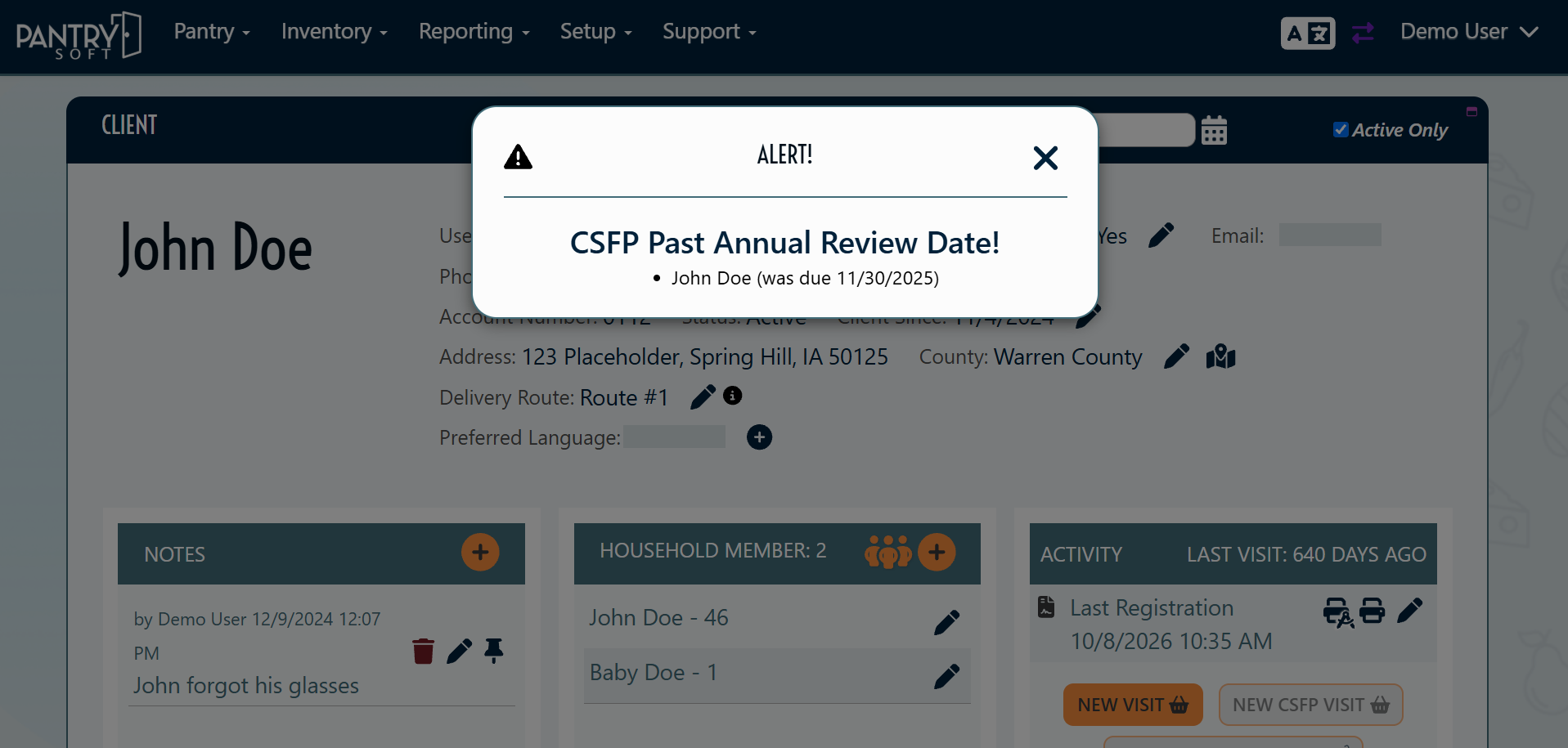
How to enable: This works automatically. To control how early the "coming soon" warnings appear, adjust these existing settings:
Go to Setup > CSFP Settings
- Timeframe (Days) Before CSFP Expiration to Warn
- Timeframe (Days) Before Annual Review to Warn
These are the same settings that control the yellow and red highlighting on the CSFP Dashboard, so the pop-up and the dashboard match. Annual review alerts only appear if your organization tracks annual review dates.