
New Features
Paid Feature: Item Groups are an Advanced Inventory feature. Please contact support@pantrysoft.com if you'd like to use this feature and don't yet have it activated in your installation. To learn more about Inventory Groups, please visit our Knowledge Base article.
Inventory Groups available on ShopView
Organizations using Inventory Groups and ShopView on Dashboard or Kiosk will now see Groups available on ShopView.
How to access:
Set Up > Inventory Settings > Enable ShopView on Kiosk/Dashboard Visits > Yes
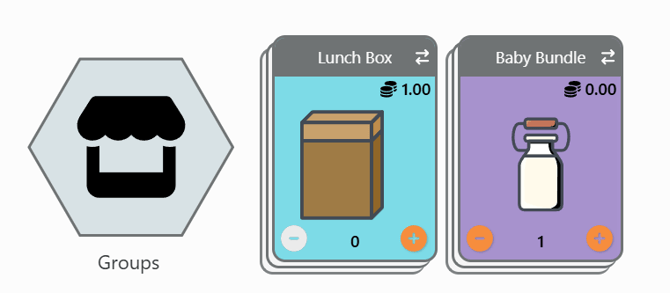
Notes:
If setting Enable Group Edits on Visits is set to Yes, Groups will not show in Storefront.
Item Tags display in Groups on Item Groups page
When looking Item Groups from Inventory Item Groups Page, any Item Tags will display next to the assigned Item in the Group.
How to access:
Inventory > Item Groups

Clone orders applies to Groups in Storefront if settings are on and Item Group is available.
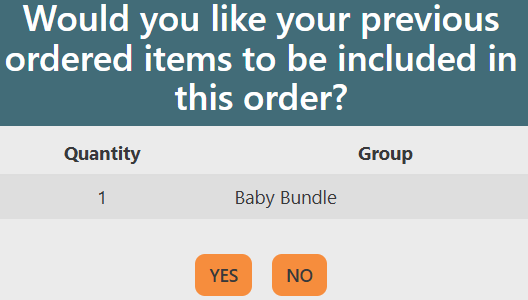
Organizations using Item Groups and Clone Inventory Items settings will now see recommendations to clone Item Groups on Storefront.
How to access:
Setup > Inventory Settings > Clone Inventory Items From Previous Visits > Yes

Details:
When using Item Groups and setting Clone Inventory Items from Previous Visits, Clients will receive a popup prompting them to add the Group selected in the most recent Visit if the Item Group is available in Inventory.
Improvements
-
Updated rich text editor for adding custom content.

Improvements include ability to add bulleted lists, more control over font size and more opportunity to customize content.
- Updates to the Base Full Activity Counts Data Visualization with additional table-style aggregate counts, increased query efficiency, and expanded advanced options. See dedicated article: Data Visualization Base Full Activity Counts Revised.