
New Features
Item Groups on Storefront
Item Groups are now available on Storefront to allow Clients to select Groups when shopping.
Paid Feature: Item Groups are an Advanced Inventory feature. Please contact support@pantrysoft.com if you'd like to use this feature and don't yet have it activated in your installation.
How to access:
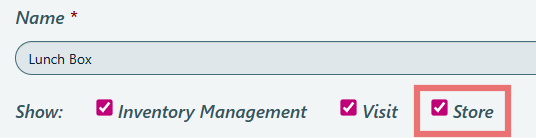
Inventory > Item Groups > Create new Item Group or edit existing > select Store in Show
Details:
- Groups can be distinguished from other Items on the Storefront by the shape of the Item Type and the Item Group design.
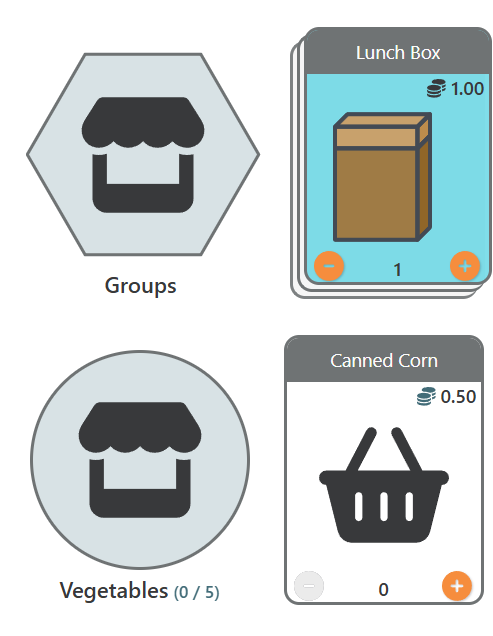
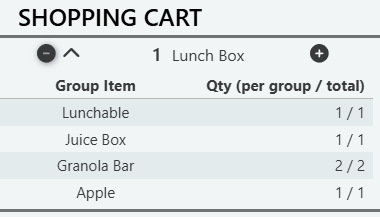
- Groups can be expanded in Cart on Checkout to see Group breakdowns
Additional information: - Groups can not currently be assigned to Household Members.
- Item Tags can not currently be assigned to Item Groups.
- If you have Credits assigned to Items, the cost of the Group will be a combination of all Items in the Group.
- Visit Limits for Group are determined at the Item level. Visit Limits for the Group will respect Limits assigned to each Item.
Notes:
Check out our Knowledge Base article and Webinar to learn more about Item Groups!
Missed Visit on Queue Report is now a User Setting
Missed Visit on Queue Report can now be added on a User by User basis via User Settings to give Users more control over what the Missed Visit button.
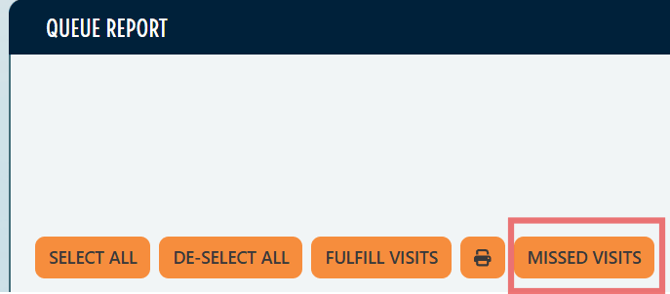
How to access: To use this feature, request that PantrySoft support enable the internal setting.
Location Selector on Visit Templates
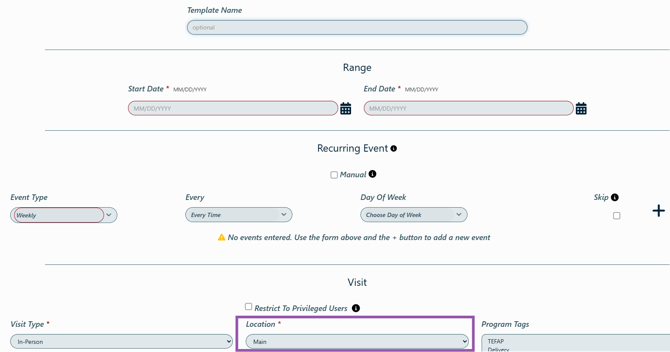
If you have multiple Locations, and use Recurring Vists/Visit Templates, you can now select Location on Visit Templates.
How to access:
Log a new Visit Template or open and existing Template for a Client > Use Location drop down to select Location
Enhancements & Improvements
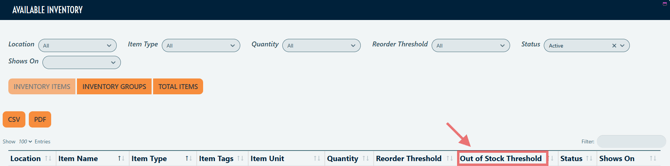
- Out of Stock Threshold now displays in Available Inventory
How to access:
Inventory > Inventory Management
Enhancements & Improvements
- Improved accessibility inputs throughout the app.
CSFP Enhancements & Improvements
The following features are only applicable to organization with the CSFP module enabled in their PantrySoft account.
Paid Feature: The CSFP module is an additional feature set. Please contact support@pantrysoft.com if you'd like to use this feature set and don't yet have it activated in your installation.
Poxy Members are automatically linked to Client's CSFP record
Now, when you add a proxy member, PantrySoft links them to the client's active CSFP record for you.
- If your organization requires extra proxy information (a reason for the proxy, or a proxy, household member, or staff signature), the CSFP proxy link form opens automatically when you add the proxy, so you can complete it right away.
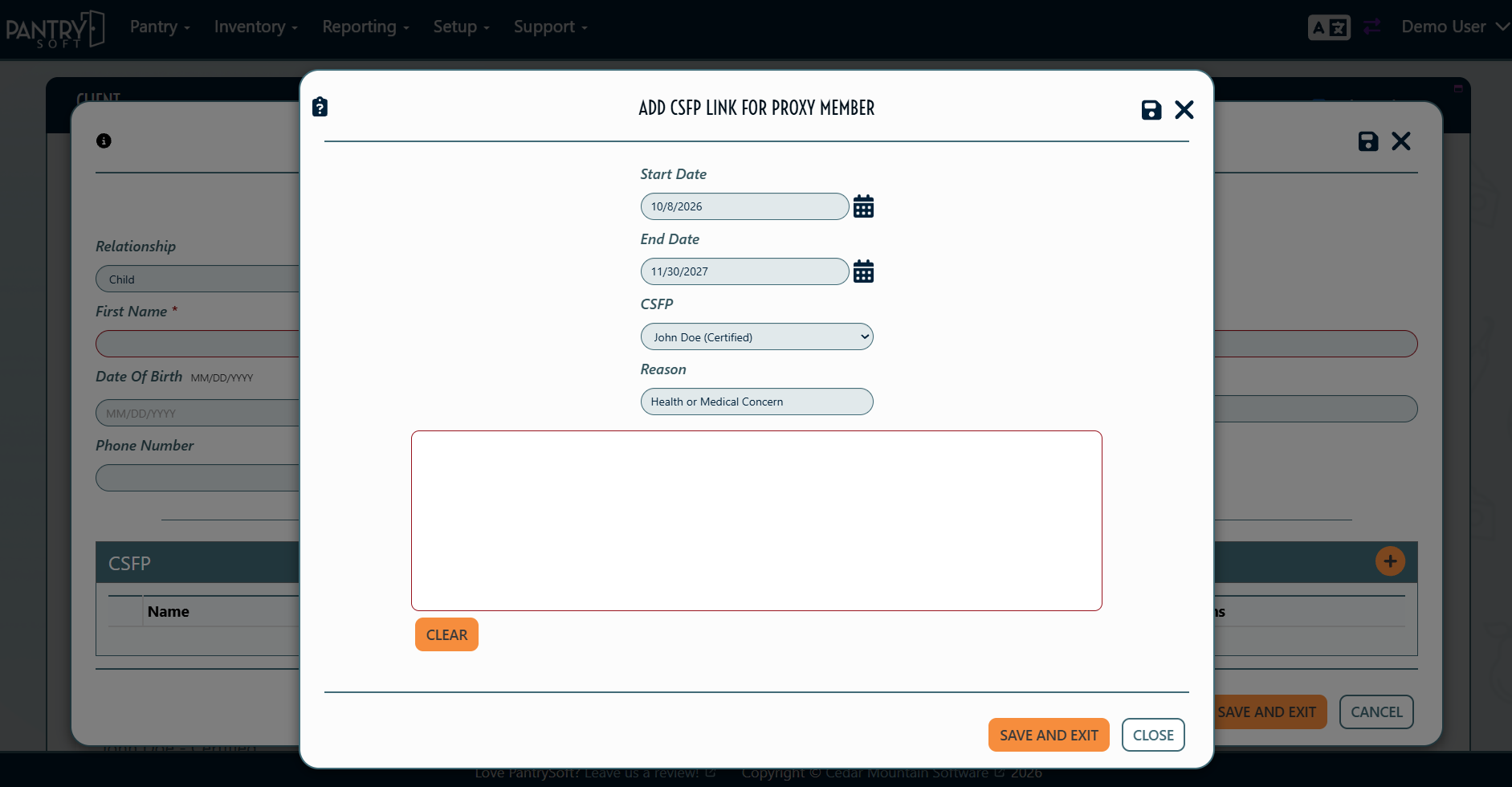
- If those settings are off, the link is added in the background. There's nothing extra to do.
Also improved:
- CSFP visits show only linked proxies. Clients can have other proxies (for example, someone who picks up regular pantry food), and those proxies won't show up on CSFP visits.
- Recertifying keeps your proxies. When you use Quick Recertify (the lightning bolt or Expire and Certify button on the CSFP Dashboard), the client's current CSFP proxies carry over to the new certification automatically.
Record Double Distributions in One Step
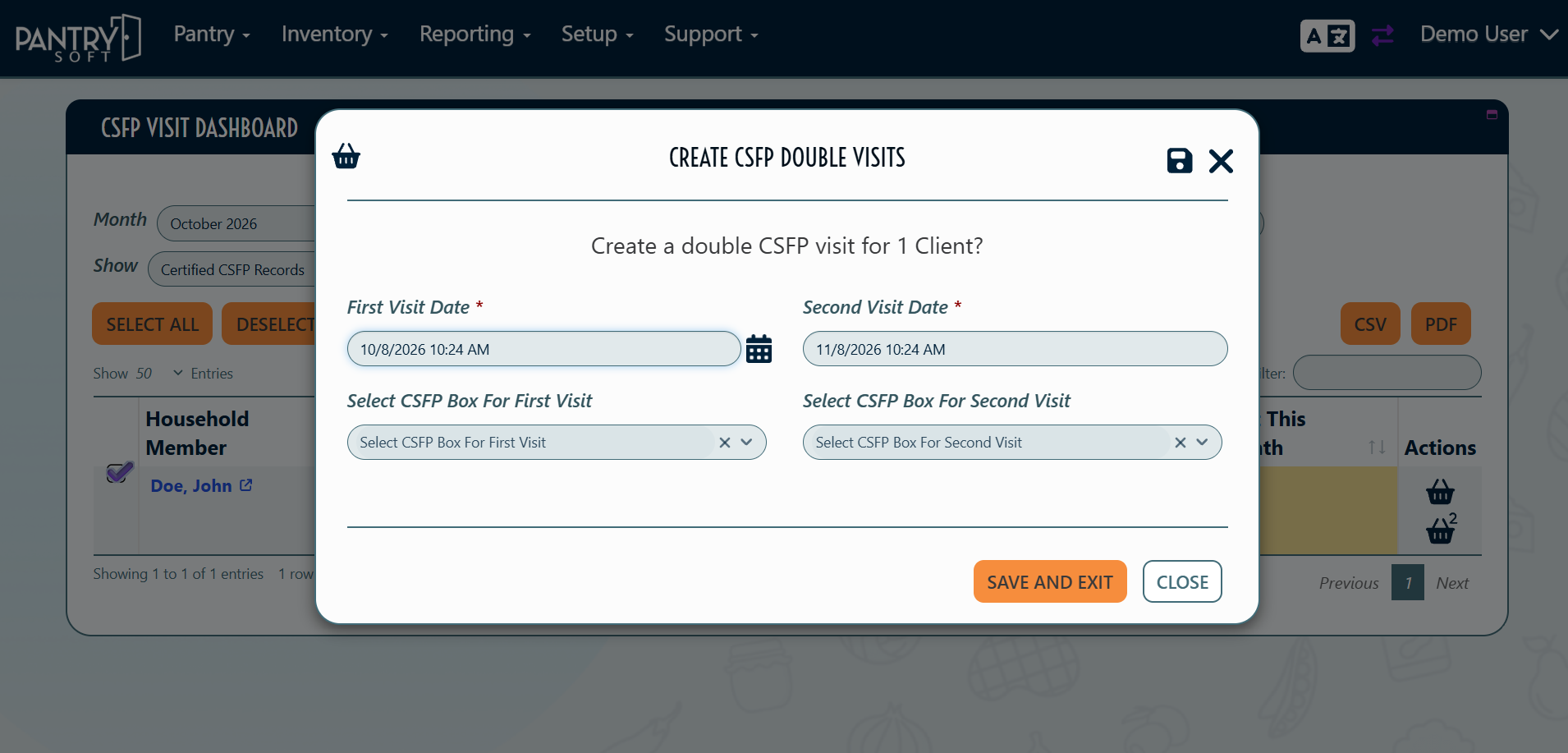
You can now record a double distribution in one step. PantrySoft creates two visits: one on the date you choose, and a second one month later. You can adjust either date. If you use inventory, you can choose the inventory group for each visit. The two visits are linked, so you can always tell which distributions were doubles when reconciling inventory.
PantrySoft also checks that the participant is eligible in both months. A double visit can't be recorded if the client already has a CSFP visit or a missed visit recorded in either month.
Double visits can be recorded from the CSFP Visit Dashboard, the Client Dashboard, and Kiosk.
How to access:
- Go to Setup > CSFP Settings
- Turn Enable Double CSFP Visits to "Yes"
- Save Settings